
Blog
An infusion pump delivers whatever it is told, at the rate it is told, until something stops it. The checks that prevent incidents therefore happen before the line is opened: verify the program against the prescription, seat the set and latch the door, prime and prove the air detector, set the occlusion level to the access, cap the volume and set the keep-vein-open rate, confirm power, check the drug library, and learn what each alarm reports. The eight checks below run in that order and take about five minutes. Each maps to a parameter or an alarm, so a failure has a defined next step.
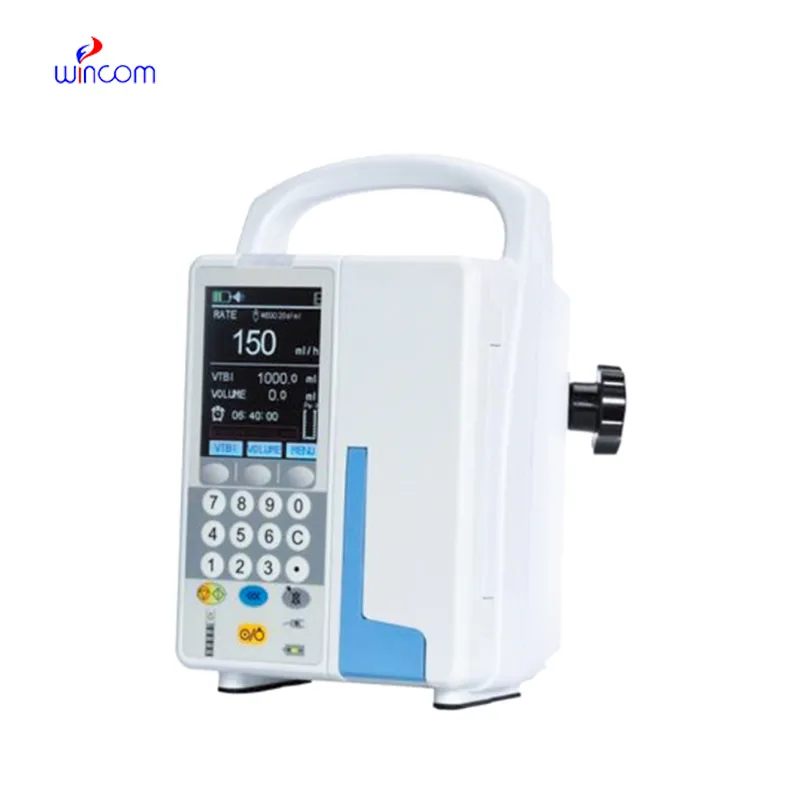
A wrong-setting alarm catches an entry the device cannot accept. It cannot catch a plausible number entered for the wrong patient, which is why the read-back is the check and the alarm is the backstop.
Check the stand before the pump goes on it: a pole that flexes or rolls changes how the line runs. Wincom's infusion support stands cover that accessory, and the pole clamp diameter is worth confirming if pump and stand come from different suppliers.
Air is the alarm staff learn to silence before they read it. After a set change, prime again rather than purging through a connected line.
The occlusion alarm reads pressure at the pump, not tissue at the cannula. A tissued site can sit below the threshold while fluid enters the tissue, so the site check stays manual.
The volume limit keeps working when nobody is watching. A limit set for the container stops the infusion at the right moment; a limit set to the shift total runs the bag dry and keeps counting.
The IFP-820D stores 2,000 injection records and carries a drug library; the IFP-820 shares the parameters and the voice alarm system but neither. A library adds safety only when its limits match the formulary in use, so confirm the version at commissioning, agree who owns updates, and write it down. The IFP-820 is the version to specify when the voice alarm is the requirement and the audit trail is not.
A record is only useful if it can be pulled. Test the retrieval route at installation, with the person who will need it, not during the first incident.
Treat the alarm list as something to prove at commissioning, not to read for the first time at the bedside.
| Alarm | Condition it reports | First action |
|---|---|---|
| End of injection | Volume limit reached | Check site and line, then decide the next container. |
| Occlusion | Pressure above the threshold | Trace site, cannula, clamp, kinks, filter. |
| Door open | Door not latched | Re-seat, latch, confirm the program survived. |
| Bubbles in the tube | Air at the detector | Stop, disconnect, purge, re-prime, reconnect. |
| Wrong setting | Entry outside the accepted range | Re-read the prescription; the value is unacceptable, not the therapy. |
| Low battery | Charge below the margin | Connect to mains; if it persists, remove from service. |
| AC power pulled out | Mains supply lost | Check plug and socket, then battery, before moving the patient. |
Those limits are why the checks above stay manual. A pump that passes every self-test can still be programmed for the wrong patient, and a therapy running at a few millilitres an hour belongs on a syringe pump. Where fluids are warmed first, the blood and infusion warmer adds checks of its own.
If these checks should be enforceable rather than remembered, the device has to expose the parameters: programmable rate and volume limit, selectable occlusion level, purge rate, KVO rate, and a retrievable record. Compare the volumetric and syringe options in the infusion and syringe pump range before deciding which checks apply to a given device.
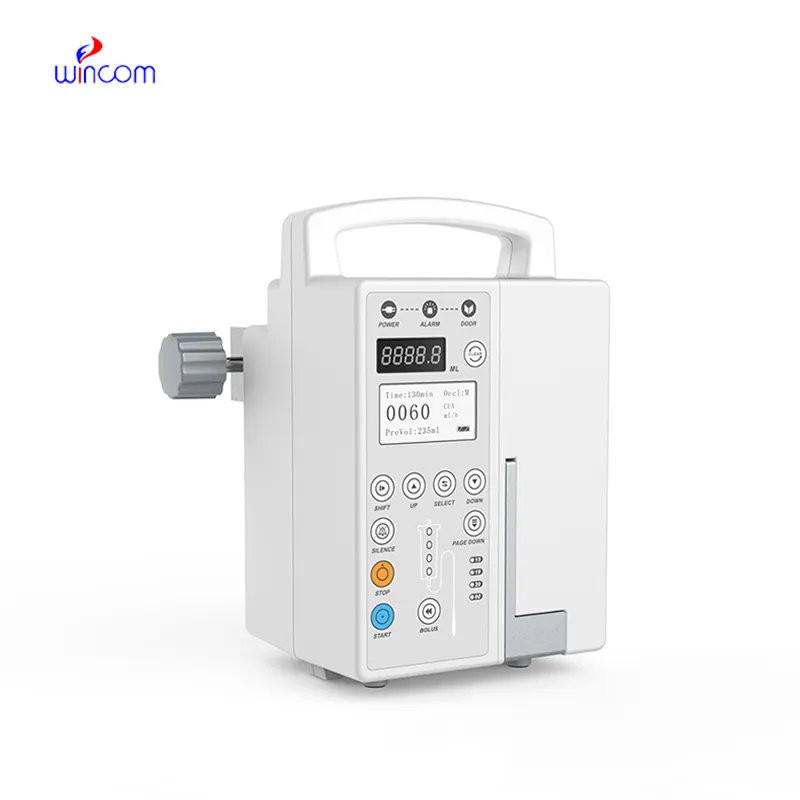
⭐ Recommended Volumetric Infusion Pump | Wincom IFP-820D
Wincom's Infusion Pump IFP-820D is positioned for hospital wards, theatres and clinics running volume-controlled infusion, with a rate of 1 to 1200 ml/h, a volume limit of 0 to 9999 ml, three occlusion levels at 300, 500 and 800 mmHg, an ultrasonic bubble detector specified at 25 µL, KVO from 1 to 5 ml/h, and audible and visible alarms for end of injection, occlusion, door open, bubbles, wrong setting, low battery and mains loss. This makes it useful where the checks above must be auditable, because the drug library and the 2,000 stored records turn a bedside routine into data a department can review. Confirm the library content and the voice alarm language for your market.
Need the parameter set verified before you specify a pump?
Send the therapy types, rate range, access types and the alarm behaviour your protocol expects. Wincom will confirm occlusion levels, library content and spares for the IFP-820D.
Contact UsThey share the same infusion parameters, alarm set and voice alarm. The IFP-820D adds a drug library and storage for 2,000 records, which is what supports later review.
The lowest that runs without nuisance alarms. Low is 300 mmHg, medium 500 and high 800. Record the choice in the local protocol rather than leaving it to the shift.
No. It is specified at 25 µL sensitivity, and below that the device makes no promise. Prime to the tip and re-prime after a set change.
The interval is not fixed by the specification. The accuracy figure assumes correct calibration, so ask for the recommended interval and the calibration record before high-risk use.
E-mail: [email protected]
Tel: +86-731-84176622
+86-731-84136655
Address: Rm.1507,Xinsancheng Plaza. No.58, Renmin Road(E),Changsha,Hunan,China


 EN
 af
 es
 ar
 tr
 sw
 pt
 th
 ur
 bn
 ne
 vi
 km
 lo
 de
 ru
 fi
 nl
 fa
 fr
 ko


